What is a Dashboard?
Dashboard is a custom report you can create yourself to get a quick understanding of the current status of selected aspects of your Program, Project/Activity, Indicator or other data point. Keep it to yourself or share across the organization (make it Public in the organization while creating a new dashboard or editing it). Dashboards are fully customizable, meaning you can create and adjust them to fit your current needs.
Go to Dashboards tab on the navigation bar. You will see a list of tasks that are assigned to you as well as a selection of your most important widgets.
Quick Tip: A dashboard is a collection of widgets that describe selected phenomena of your choice.
Create a dashboard
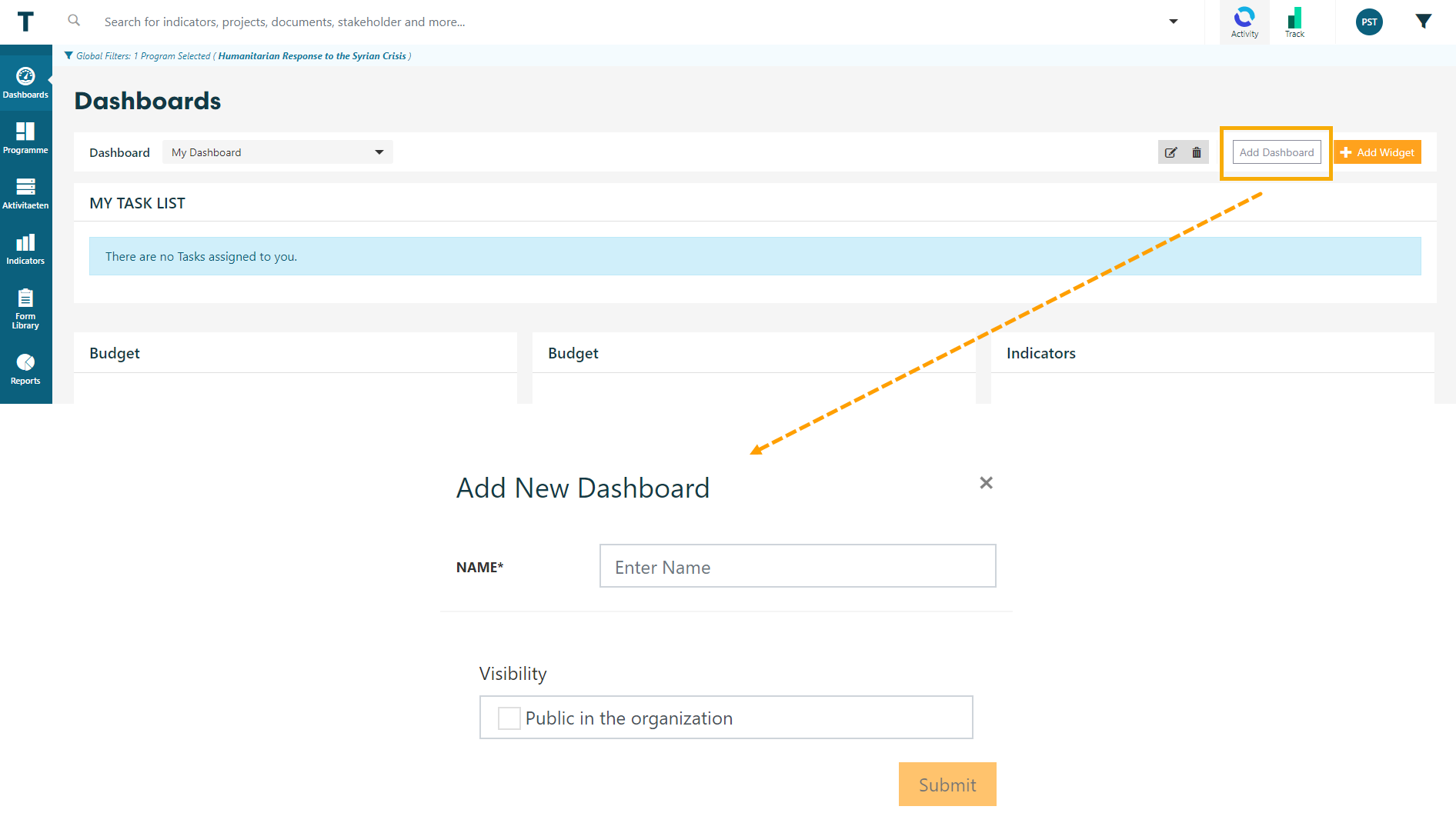
Click on Add Dashboard to add a new collection of widgets. Don't forget to hit Submit when you're done.
Add widgets
Keep on adding widgets to meet your current requirements. You can visualize data on Program or Project/Activity level, or add widgets on Sector, Indicators, Sites and even plain text! Images can be pasted into text fields, too.

Sharing
You can choose to keep it private, share with specific TolaData users or with anyone by sharing a link.

In case you want all your colleagues to have access to the dashboard, use the Edit button and select Public in the Organization.
